
EMARQUE ATLAS
Private AI that runs on your DGX Spark.
- Parameters, 3B active
- 36B
- Tokens of context
- 32,768
- Outside connections in 30 days, on our test machine
- 0
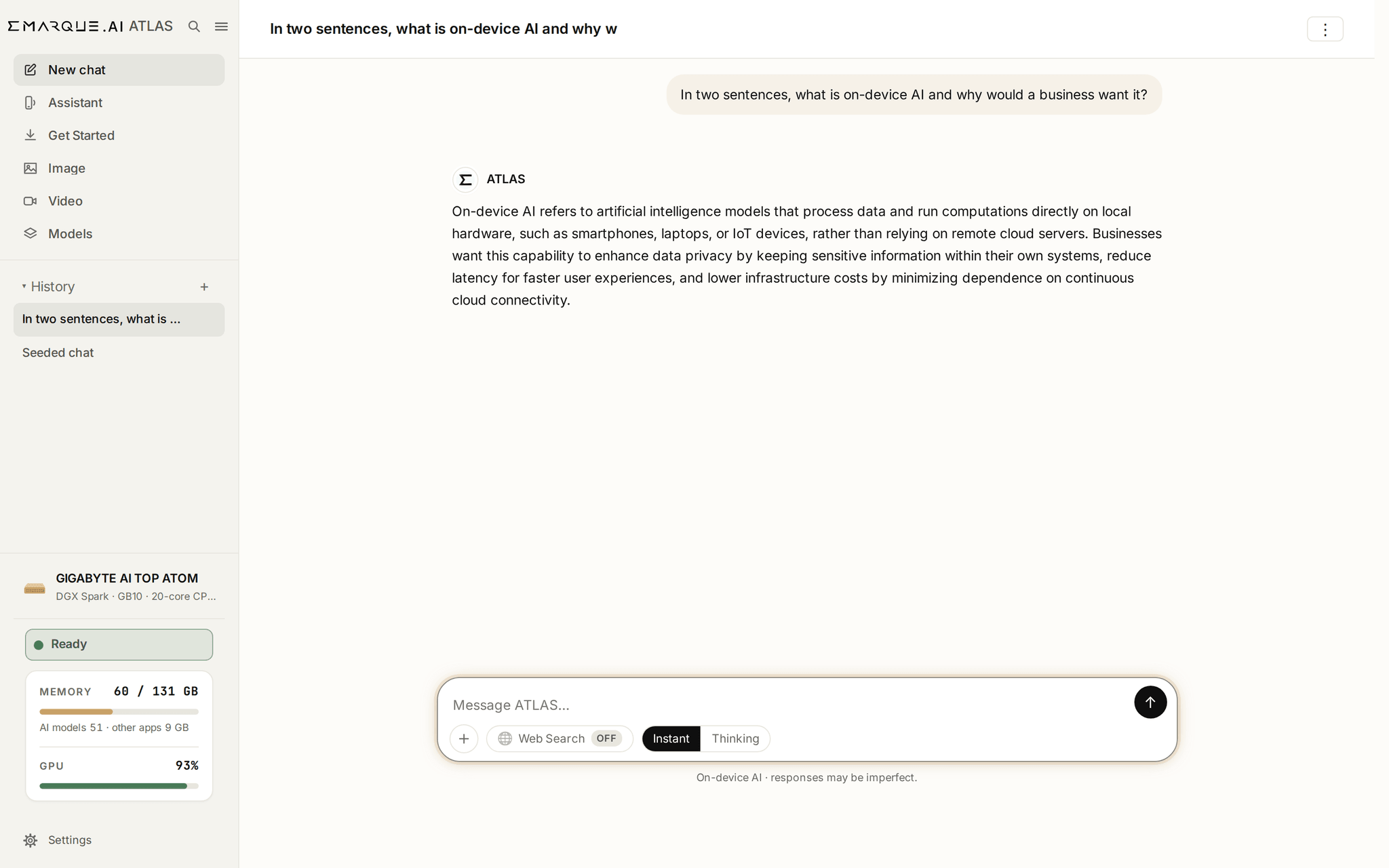
How it works
- Step 1
You ask
A question, or a document with a question about it.
- Step 2
It reads your files here
Your documents are indexed on the machine. Nothing is uploaded.
- Step 3
The model runs here
On the desktop's own GPU, from files on its own disk.
- Step 4
You get the answer
With the passages it came from.
The application
Screenshots from the customer build.
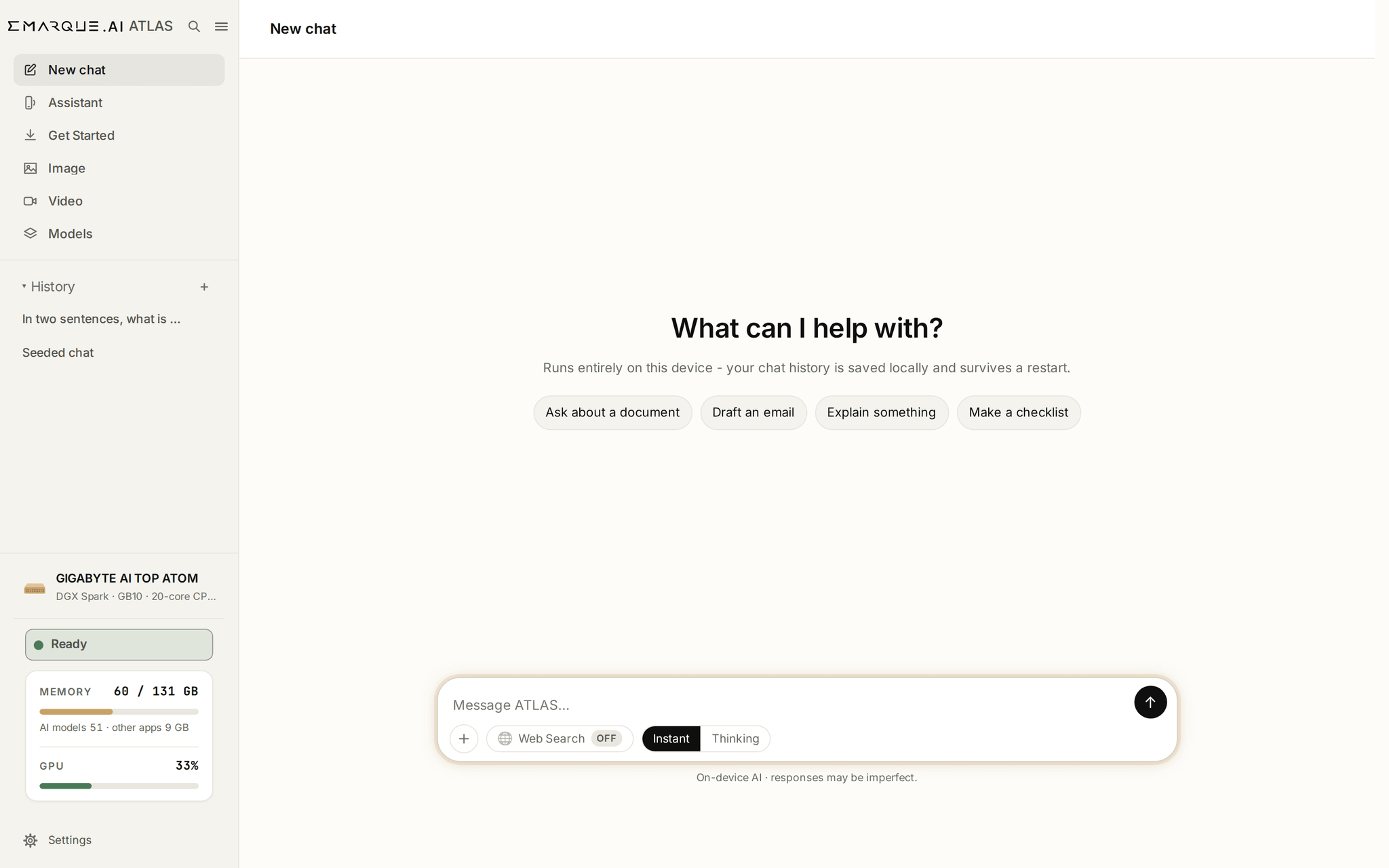
Ask a question, attach a document, or turn on Thinking for harder questions.
- Conversations are stored on the machine and survive a restart
- Web search is off unless you turn it on for a single message
What it does
Two open models, run by an engine on the desktop's own GPU, from files on its own disk: Qwen3.6 35B-A3B answers and writes, and Qwen3 Embedding 0.6B finds passages in your documents.
Conversation
Questions, drafting, explanation and revision, on the machine.
Your documents
Upload and ask. Answers point back at the passage they came from.
Images
Generated on the machine, from the same memory.
The model library
Add, start and stop models. It tells you what will fit.
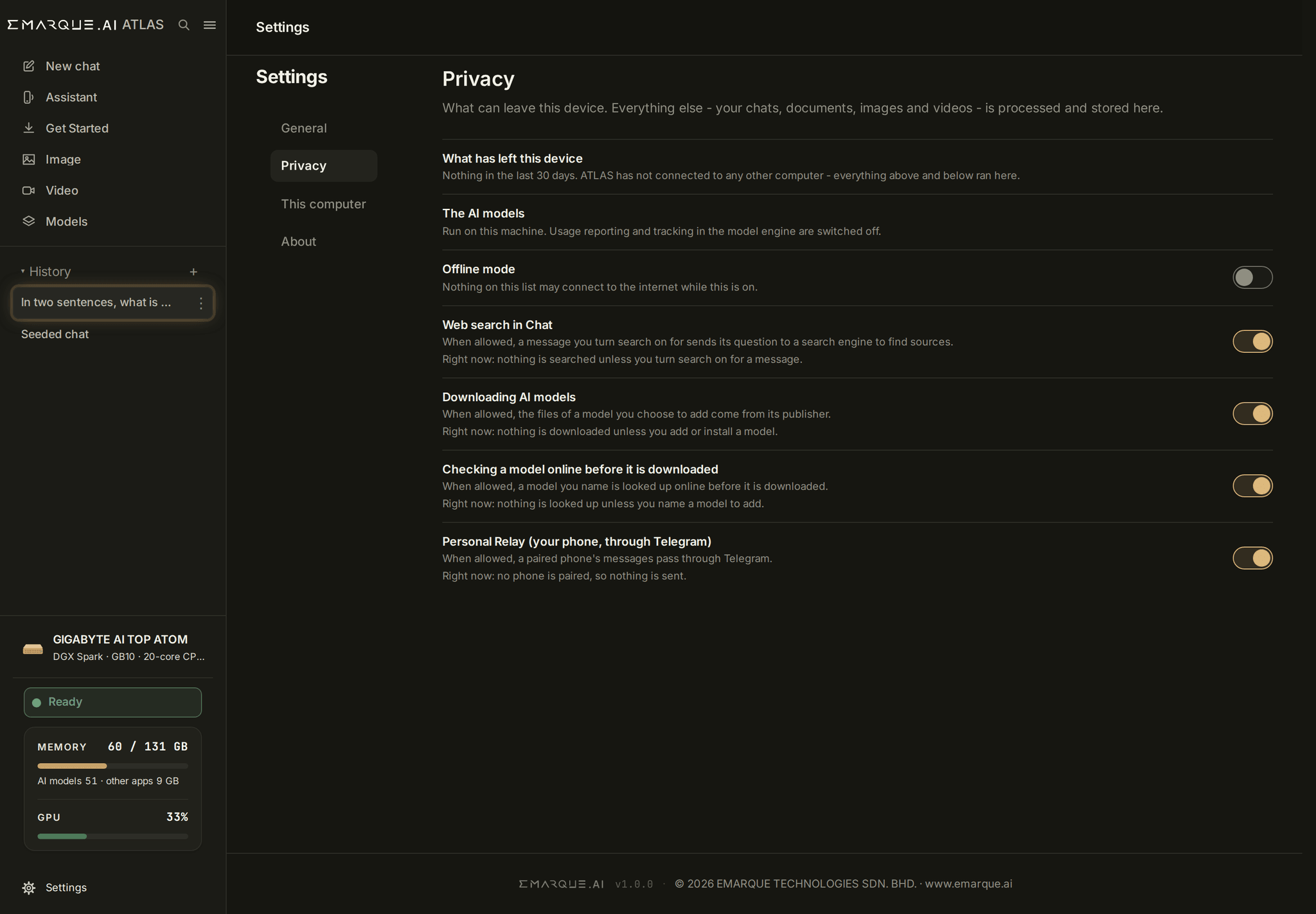
Every outside connection, counted and shown to you.
A switch for each purpose
Web search, model downloads and updates each have their own switch, and each shows what it is doing.
Offline mode
Blocks the network for the whole application, not feature by feature.
You can check the install
A built-in check compares the models, engine and code against signed references.
Specifications
Measured on our test machine unless marked otherwise. Unified memory is NVIDIA's figure.
Models
- Chat model
- Qwen3.6 35B-A3B, 4-bit (NVFP4)
- Parameters
- 36B, 3B active
- Chat model on disk
- 23.5 GB
- Memory in use
- 51 GB, measured
- Context
- 32,768 tokens
- Search model
- Qwen3 Embedding 0.6B
Machine
- Platform
- NVIDIA GB10 (DGX Spark)
- Tested on
- NVIDIA DGX Spark, GIGABYTE AI TOP ATOM
- Other GB10 builds
- Same platform, not yet tested by us. Ask before you buy
- Unified memory
- 128 GB
Privacy
- Outside connections, 30 days
- 0, on our test machine
- Offline mode
- Blocks the whole application
- Telemetry
- None
- Account or API key
- Not needed
- Updates
- Signed packages
Questions about ATLAS
Does ATLAS work without an internet connection?
Yes. The engine and both models are on the machine's own disk, so nothing has to be fetched to answer a question. Turn on Offline mode and check the connection count on the Privacy page yourself.Is any of my data sent to EMARQUE, or to anyone else?
No. There is no telemetry, no account and no API key. Web search and model downloads connect out only when you switch them on, and every connection is counted per day on the Privacy page.Which models does it run?
Qwen3.6 35B-A3B answers and writes: 36B parameters with 3B active and a 32,768-token context. Qwen3 Embedding 0.6B finds the passages in your documents. You can add more from the model library, which checks that a model fits before it downloads.Which machines does it run on?
NVIDIA GB10 desktops. We have tested it on the NVIDIA DGX Spark Founders Edition and the GIGABYTE AI TOP ATOM. The other builds use the same platform but are not yet tested by us, so ask before you buy one for ATLAS.Do I need to use a terminal?
Not after the package is installed. Get Started installs the engine and the models and shows at each step whether it is done and what to press if it is not.How do I get ATLAS?
It is included with the NVIDIA DGX Spark systems we deliver. Register your email, and we send the download link once we have confirmed your purchase. Still choosing a machine? Ask us for a quote.
Get ATLAS with a DGX Spark.
Bought a Spark from us? Register for the download link. Still choosing a machine? Start with a quote.